Type Your Message
0 characters
Quick Actions:
Words
0
Letters
0
Morse Units
0
Live Morse Code Output
Color Coding:
Dots (•)
Dashes (─)
Spaces
Words
Dot Count
0
Dash Count
0

The Advanced Morse Code Machine is a professional-grade, interactive Morse code translator and simulator built for precision, speed, and real-world learning. This powerful browser-based tool lets you instantly convert text to Morse code, decode Morse code back into readable text, and practice with synchronized audio playback, animated visual signals, and fully adjustable speed and timing controls, making it ideal for learners, professionals, and daily Morse code practice.
Unlike basic translators, this interactive Morse code machine focuses on understanding Morse timing, spacing, and rhythm. Users can experiment with different speeds, tones, and spacing options to improve recognition skills and accuracy.
This tool works directly in your browser, no installation required and is compatible with both desktop and mobile devices.
Below is a complete walkthrough explaining every function and control of the Advanced Morse Code Machine in a simple and easy-to-understand way. Each step helps you understand how the tool works and how to use it effectively for learning, practice, and real-time Morse code translation.
Start by locating the “Type Your Message” input box on the left side of the tool. In this field, you can type plain English text such as “Hello This is SOS” or directly enter Morse code using dots (.) and dashes (–). As you type, the character count updates automatically, helping you track the length of your message. If Live Update is enabled, the tool instantly converts your input into Morse code without requiring any additional action. This step is the foundation of the tool, as everything that follows visual output, animation, sound, and statistics depends on what you enter here.
Once text or Morse code is entered, the Live Morse Code Output panel on the right side begins displaying the translated Morse code in real time. Dots and dashes appear clearly, with proper spacing between letters and words. Each Morse element is visually separated so users can easily distinguish characters. If color mode is enabled, dots, dashes, and spaces are shown in different colors, making the structure of Morse code easier to understand, especially for beginners. This live output updates immediately as you type or modify your input.
When you click the Animate button, the Morse code output comes to life. Dots and dashes begin to highlight one by one, following the correct Morse timing sequence. Each dot appears briefly, and each dash stays highlighted longer, exactly matching Morse code standards. As the animation progresses, the currently active signal is clearly highlighted while previous signals return to normal, allowing you to visually follow the entire message from start to finish. This step-by-step highlighting helps users understand signal order, spacing, and rhythm, making it especially useful for learning and practice. You can pause the animation at any moment to observe a specific part of the Morse sequence and resume when ready.
Clicking the Play button activates the audio playback of the Morse code. As the sound plays, dots and dashes are highlighted at the same time, perfectly synchronized with the audio tones. Short beeps represent dots, while longer tones represent dashes. This synchronized audio-visual feedback allows you to connect what you see with what you hear, which is essential for developing real Morse code listening skills. You can adjust the volume and tone frequency to make the sound comfortable for your ears, or disable sound entirely if you prefer silent visual learning.
The Playback Speed control allows you to change how fast the Morse code is played. Moving the slider toward slow makes the dots and dashes appear more gradually, which is ideal for beginners. Increasing the speed shortens the signal timing, making it suitable for advanced learners or real-world practice. These speed changes affect both animation and sound, ensuring consistent learning at any level.
In the Sound Settings section, you can enable or disable Morse audio with a single click. When enabled, you can also adjust the tone frequency, changing how high or low the Morse sound feels. This is helpful for users who prefer certain pitch levels or want to simulate different Morse signal environments.
The Display Mode option allows you to choose how Morse code is shown on the screen. Compact View presents a clean and minimal layout, while Detailed View shows more spacing and structure for learning. Colorful Mode highlights dots, dashes, and spaces using different colors, and Monochrome Mode removes colors for a distraction-free experience. Changing the display mode does not affect the Morse code itself only how it is visually presented.
The Quick Action buttons allow you to instantly generate common Morse phrases such as SOS, HELLO, EMERGENCY, TEST, and MAYDAY. When clicked, the selected phrase automatically appears in the input field and is converted into Morse code with animation and sound ready to play. These buttons are ideal for instant practice, demonstrations, or learning emergency signals.
Below the input area, the statistics panel shows real-time data including total words, total characters, Morse units, dot count, and dash count. These statistics update instantly as you type or change the message, helping you understand the complexity of your Morse code and track progress over time.
Once you are satisfied with your Morse code output, you can save the text for later use, share it with others, or print it for offline study. These options make the tool useful not only for individual learners but also for teachers, students, and training environments.
By activating Learn Mode, the tool focuses on structured learning, making it easier for beginners to practice Morse code step by step. This mode encourages slow playback, clear visual signals, and repetition, helping users build confidence and accuracy over time.
The Advanced Morse Code Machine includes a Sample feature that helps users practice quickly without typing anything manually. When you click the Sample button, a predefined sample text is automatically inserted into the input box. This sample text is instantly converted into Morse code and displayed with live visual output, animation, and audio playback.Each time you click the Sample button again, the tool replaces the previous text with a new sample line, allowing you to practice different words, phrases, or sentence structures. This makes it easy to explore multiple Morse patterns, test different speeds, and observe how dots and dashes change with new content.The Sample feature is especially useful for beginners who want to start learning immediately, as well as advanced users who want quick, varied practice examples without needing to type or prepare text manually.
Built as part of the InMorseCode learning ecosystem, this advanced Morse code machine supports beginners, students, ham radio learners, and experienced users who want a reliable Morse code translator with sound and visual feedback.
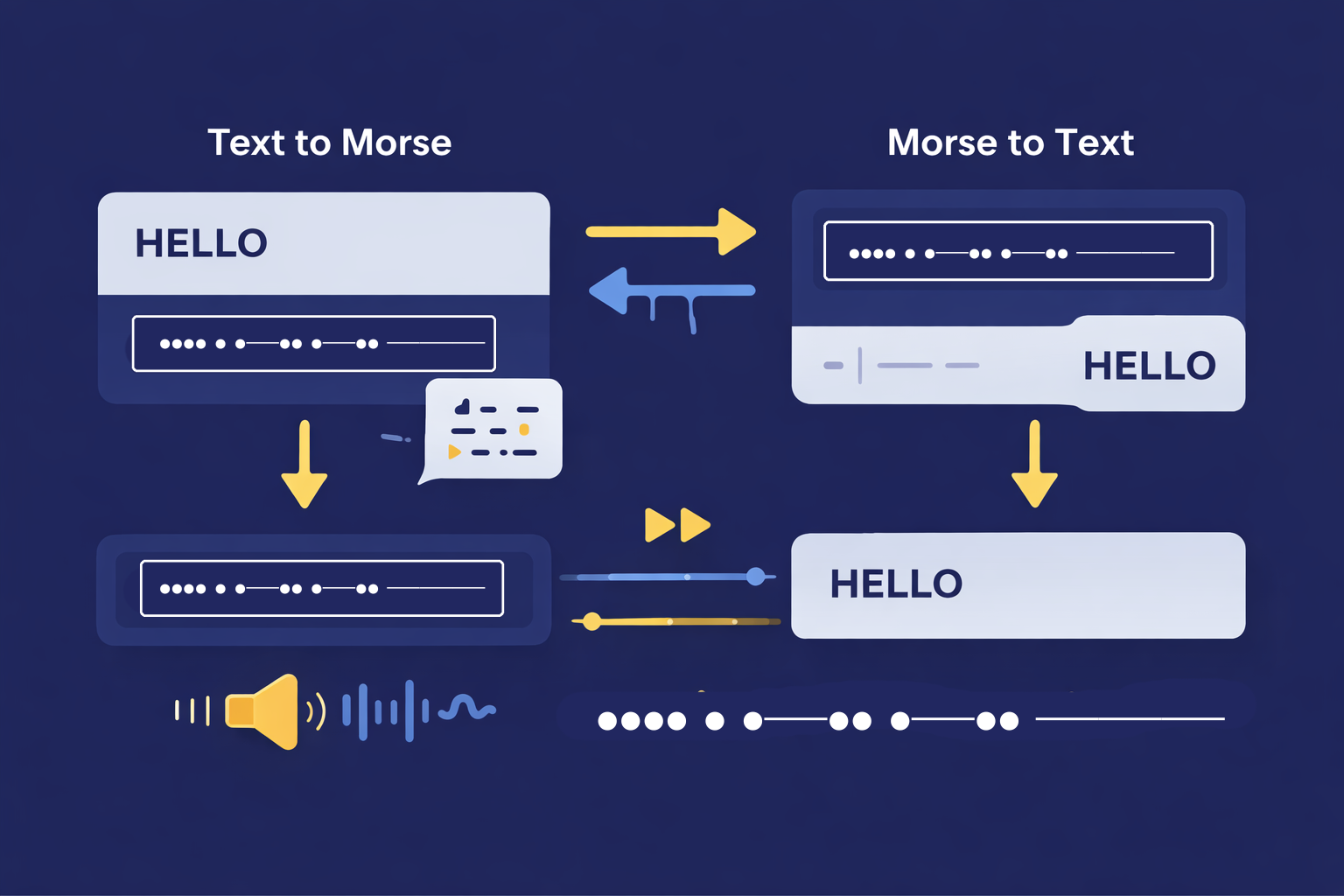
| Feature | Description | Why It Engages You |
|---|---|---|
| Live Morse Code Output | Displays Morse code output instantly as color-coded dots, dashes, spaces, and word gaps while typing. Output updates in real time. | Turns abstract Morse code into a visual experience you can watch and follow live. |
| Two-Way Translation | Supports both Text → Morse Code and Morse Code → Text conversion automatically. | Eliminates switching tools; ideal for learning and decoding practice. |
| Color-Coded Morse Display | Dots, dashes, character gaps, and word spaces are visually differentiated using colors. | Improves recognition speed and helps beginners understand Morse structure instantly. |
| Animated Morse Playback | Morse code is animated in sync with audio playback, showing signal timing precisely. | Helps users connect sound, timing, and visual rhythm naturally. |
| Playback Speed Control (WPM) | Adjustable slider lets users change playback speed from slow to fast (Words Per Minute). | Enables gradual learning — start slow, progress confidently to expert speeds. |
| Tone Frequency Control (Hz) | Slider allows customization of Morse audio pitch (tone frequency). | Makes listening comfortable and suitable for different hearing preferences. |
| Sound Enable / Disable Toggle | Instantly turn Morse audio on or off without affecting visual output. | Ideal for silent learning, classrooms, or noisy environments. |
| Live Update Toggle | Enables or disables real-time updates while typing. | Allows focused editing without constant playback interruptions. |
| Display Modes | Choose between Compact View, Detailed View, Colorful Mode, or Monochrome Mode. | Lets users customize visibility based on preference or learning style. |
| Comprehensive Stats Dashboard | Tracks total words, characters, Morse units, dot count, and dash count. | Provides measurable feedback for progress tracking and practice accuracy. |
| Quick Action Buttons | One-click generation of common phrases like SOS, HELLO, EMERGENCY, TEST, MAYDAY. | Saves time and offers instant practice examples. |
| Integrated Audio Player | High-quality audio playback synchronized with visual Morse signals. | Enhances listening skills critical for real-world Morse decoding. |
| Animation Controls (Play / Pause / Animate) | Control when Morse animation plays or pauses. | Allows step-by-step learning and replaying difficult sequences. |
| Save Text Function | Saves entered or generated text for later reference. | Useful for learners tracking practice sessions. |
| Share Output | Instantly share Morse code or text output. | Perfect for teachers, students, and collaborative learning. |
| Print Option | Print Morse output for offline study. | Supports traditional learning and classroom use. |
| Learn Mode | Dedicated mode designed for guided Morse learning. | Makes the tool suitable for beginners and daily practice routines. |
| Browser-Based Operation | Works entirely online with no installation required. | Fast access on desktop and mobile devices. |
Most online Morse translators only provide static output, meaning users see dots and dashes without understanding timing or rhythm.
This Advanced Morse Code Machine:
Explains Morse code visually and audibly
Helps users practice decoding and encoding
Supports interactive learning, not just translation
Allows speed and sound customization for real-world practice
As a result, it functions as both a translator and a Morse code training simulator.
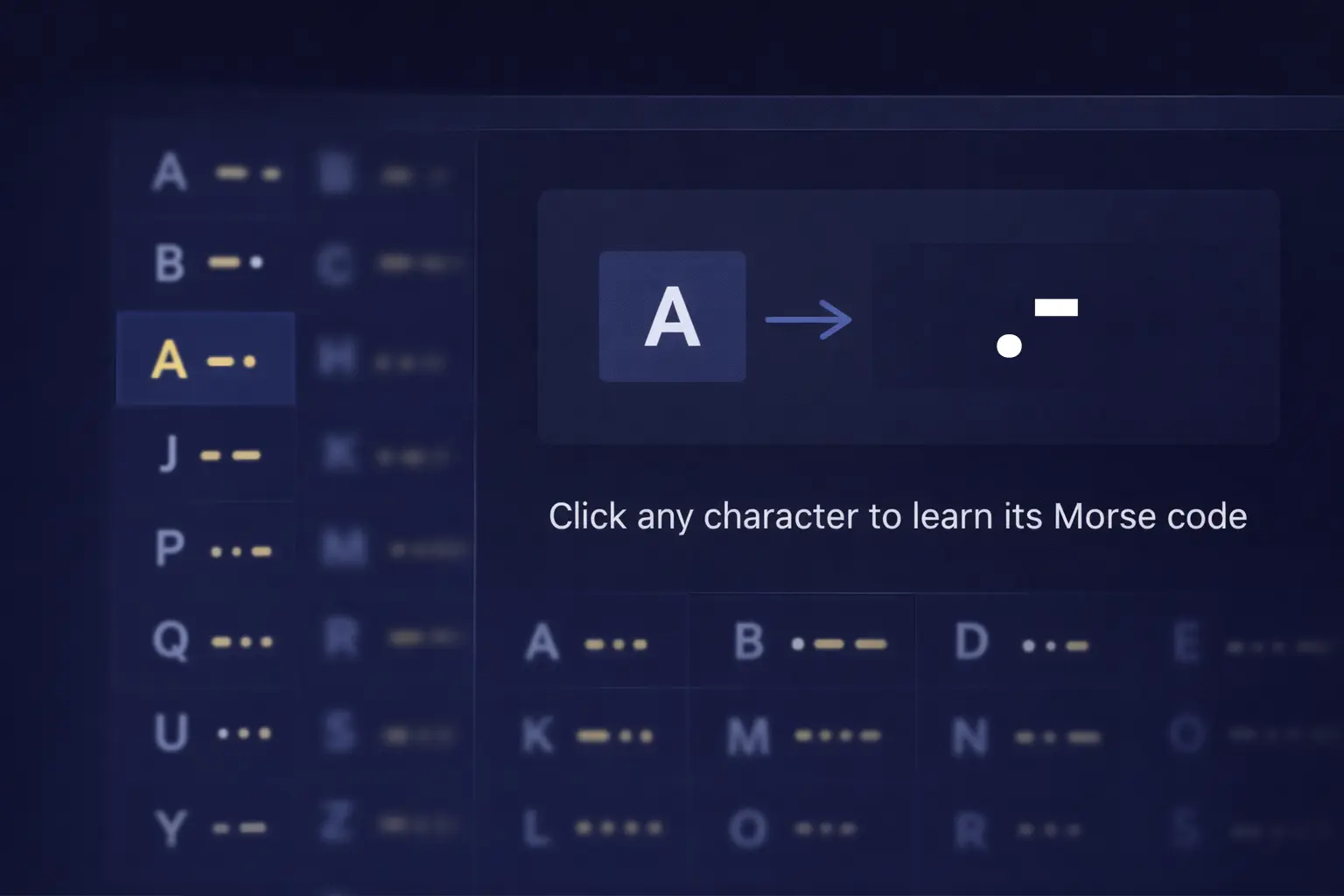
The Advanced Morse Code Machine includes an integrated Morse code reference chart that displays mappings for:
This built-in reference allows users to verify characters instantly without leaving the tool, reducing dependency on external charts. The reference system follows standard international Morse code conventions and aligns with learning materials available across InMorseCode.
This tool follows International Morse Code (ITU standard), which defines:
The duration of dots, dashes, and pauses
Spacing between letters and words
Universal character mappings used worldwide
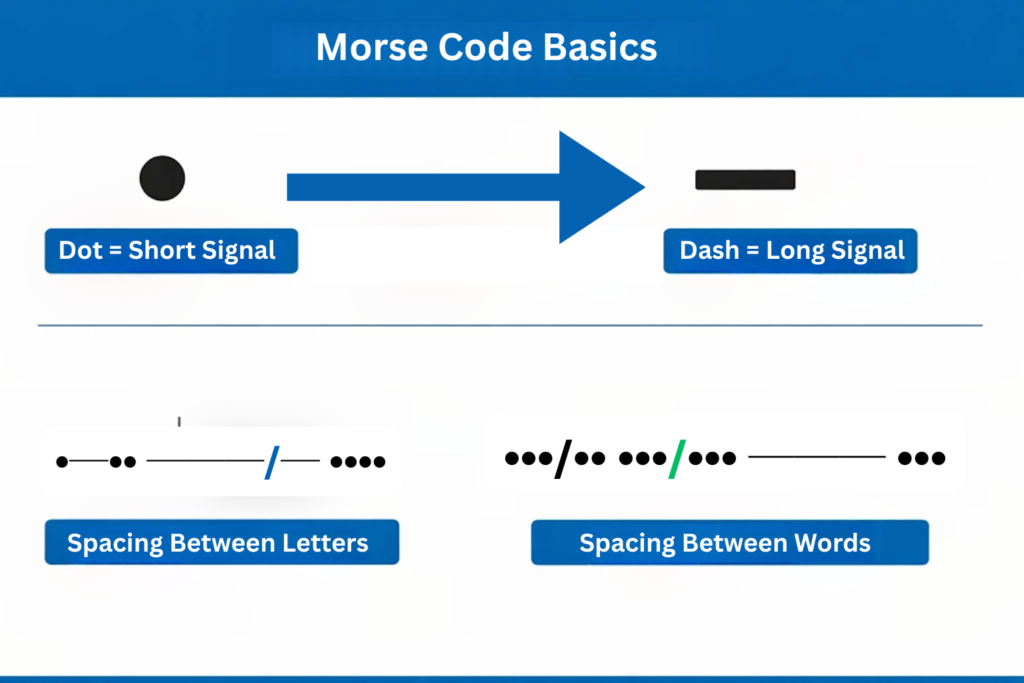
A dot is one unit long, a dash is three units long, and spaces between letters and words follow strict timing rules. By using these standards, the tool ensures accurate and globally accepted Morse code output.
This Morse code simulator is ideal for:
Whether you’re learning casually or training seriously, this tool adapts to your pace and goals.
Morse code represents characters using short and long signals:
Correct spacing and timing are critical for understanding Morse code, and this simulator helps reinforce these fundamentals through hands-on interaction.
This Advanced Morse Code Machine goes beyond basic translation by emphasizing comprehension and accuracy.
It serves as a practical bridge between Morse code theory and real-world listening and decoding skills.
Enhance your learning experience by exploring additional tools available on InMorseCode, including:
Internal tools work together to build a complete Morse code learning ecosystem.
Unlike simple Morse code translators, this tool is designed for learning, practicing, and mastering Morse code.
Real-time text to Morse and Morse to text conversion
Visual dot and dash animations for better understanding
Audio playback synchronized with Morse signals
Adjustable speed (WPM) for beginner to advanced users
Custom tone frequency and display modes
Live statistics including dot count and dash count
These features make it ideal for students, hobbyists, radio operators, and professionals who want more than just a basic converter.
To get the best results while using the Advanced Morse Code Machine, follow these tips:
The tool’s flexible settings make it easy to apply these techniques consistently.
Find answers to common questions about Morse code and how to use our Advanced Morse Code Machine effectively
An advanced Morse code machine is a tool that converts text and Morse code while offering audio playback, visual signals, adjustable speed, and learning support for effective practice.
Yes. It accurately decodes Morse code into readable text, including letters, numbers, and symbols.
Absolutely. Adjustable speed controls, visual output, and built-in reference charts make it beginner-friendly.
Yes. You can listen to Morse code tones in real time with adjustable pitch and speed.
Yes. The Advanced Morse Code Machine is completely free and browser-based.
Yes. It is designed for daily training, listening practice, and long-term skill improvement.
Yes. The combination of visual animation, audio playback, and adjustable speed makes it ideal for beginners and advanced learners.
Yes. The Advanced Morse Code Machine is completely free and browser-based.
Designed for accuracy, flexibility, and ease of use, the Advanced Morse Code Machine brings together real-time translation, animated visual signals, synchronized audio playback, and fully customizable controls into one complete learning platform. Throughout this tool, users can convert text and Morse code instantly, observe precise dot-and-dash timing through animation, adjust speed and sound to match their skill level, and track progress using live statistics.
Whether you are learning Morse code for the first time or refining advanced listening and decoding skills, this interactive simulator supports steady improvement through clear feedback, structured controls, and hands-on practice. With everything available in one browser-based tool, the Advanced Morse Code Machine makes mastering Morse code simple, engaging, and achievable at any level.