You can find translators and decoders by searching for “Morse code converter”. The buttons, pages, and results are almost the same. Does that mean it’s a tool with three names?
Mostly, but not entirely. While Morse-code translators are software programs that translate text into Morse and back again, Morse-code converters are hardware devices that transform data into Morse signals. A Morse-code decoder, on the other hand, only converts Morse signals into ordinary text. The format and direction of the data you provide into the application are the most important factors. This guide will assist you in selecting the appropriate tool for your requirements, provide precise explanations for each term, and highlight areas of concept overlap.
You can explore every concept as you read using our free Morse-code translation tool.
The Quick Answer
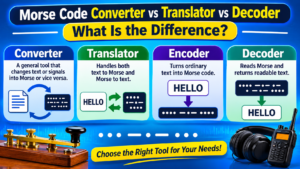
| Term | What it does | Direction | Typical input |
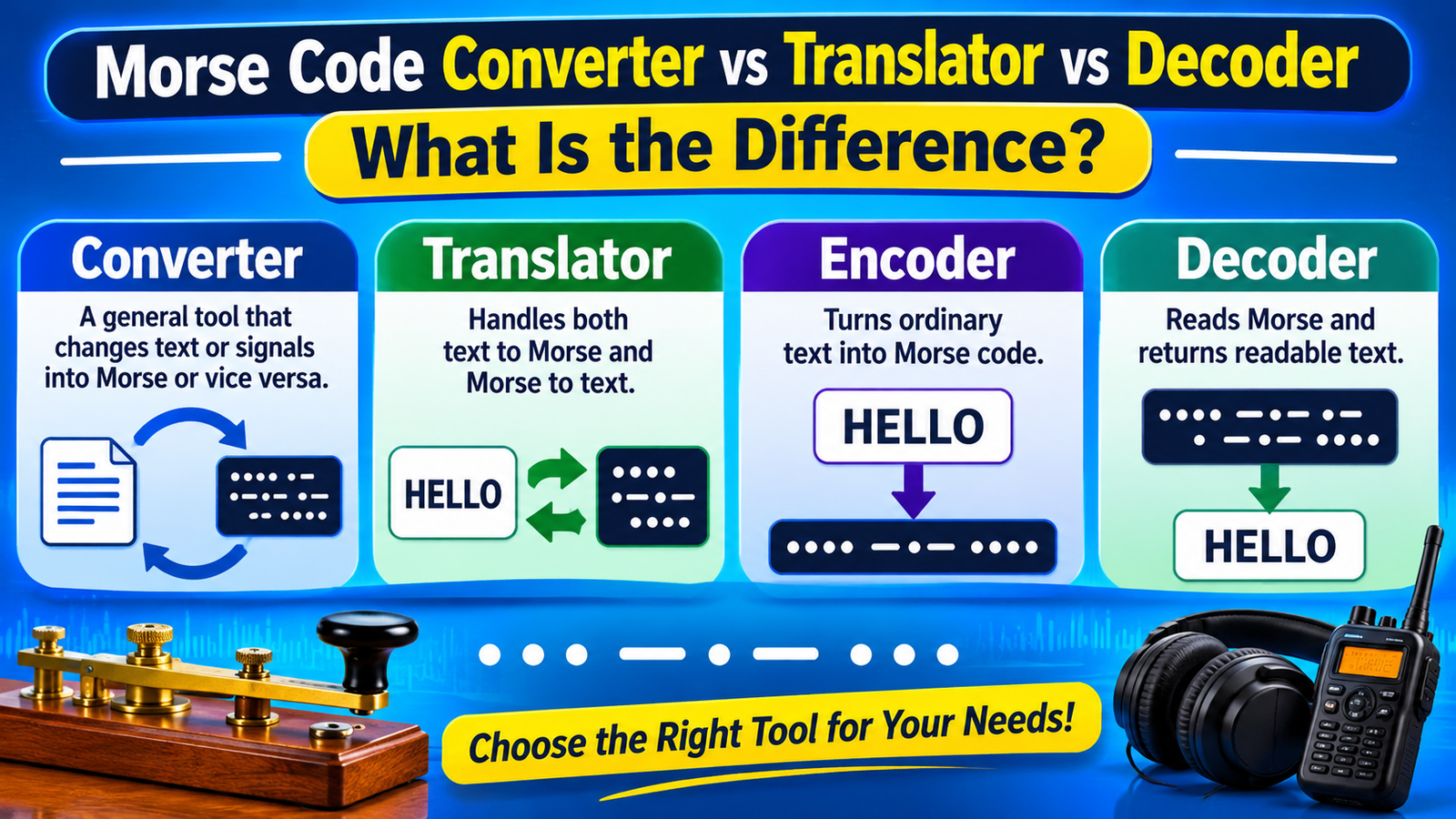
| Converter | Umbrella word for any tool that changes text or signals into Morse or out of it | Either way | Text, Morse, sometimes audio, light or images |
| Translator | Handles text to Morse and Morse to text in one place | Both ways | Typed text or typed Morse |
| Encoder | Writes ordinary text as Morse | Text to Morse | Typed text |
| Decoder | Reads Morse and returns ordinary text | Morse to text | Dots and dashes typed, sound, a picture, or light flashes |
Keep this in mind if you can only recall one item. Encoding means text goes in and Morse comes out. Decoding means Morse goes in and text comes out. Converter and translator are friendly names that usually cover both jobs.
What is a Morse code converter?
Of the three, “converter” is the most common expression. It simply refers to a tool that transforms a message into another format. In the context of Morse, that could refer to a text-to-Morse code converter, a Morse code-to-text converter, or something more specialized, such a program that converts a sentence into a sound file or a flashing light.
Of the three, “converter” is the most common expression. A simple page with one input box and one output box is a converter. So is a full set of tools with audio playback, adjustable speed and downloadable files.
One of two things is typically what users desire when they enter “morse code converter” into a search engine. They have a pattern of dots and dashes and want to know what it means, or they have a word or statement that needs to be printed with dots and dashes. A competent converter will do both for you without having to look for a second page.
A Morse‑code converter—what does it actually do?
Many people label devices that facilitate two‑way communication as “translators.”When you enter English and press the button, Morse code will be displayed.You can restore English by pasting Morse and pressing the same button.
There is a small technical catch. There is no language in Morse code. It lacks its own language, grammar, and meaning. It is a method of using short and long signals to write the letters, numerals, and punctuation of an existing language.When you turn “hello” into Morse, nothing is translated in the way that “hello” becomes “hola” in Spanish. Each letter is simply swapped for its pattern.
Strictly speaking, then, “encoder” and “decoder” are the more accurate words. But “translator” is the word almost everyone searches for, and it is perfectly understandable. A translator in this sense is a convenient two way encoder and decoder wrapped in one page. If you want to know why the code works the way it does, our history of Morse code is a good place to start.
What Is a Morse Code Decoder?
A decoder does one job. It takes Morse and gives you readable text. What makes decoders interesting is the number of ways Morse can arrive. There are at least four common kinds.
Text based decoders
The tool provides the message when you input or paste a pattern of dots and dashes with a clear divider between words and a gap between letters. Since there is no guesswork involved, this type is the most straightforward and accurate.
Audio decoders
These detect the duration of each tone, determine which tones are short and which are long, and then search for the spaces between letters and words in order to deduce the message from the timing of beeps or clicks. Clean, steady audio decodes well. Noisy radio recordings or wobbly speeds can cause mistakes.
Image decoders
Some tools read Morse from a photo, screenshot or scanned page. They have to recognize each dot and dash visually before translating it. This is handy for puzzles, old notes and images shared online. Our guide to decoding Morse code from images, photos and screenshots shows how it works, and the comparison of a picture decoder versus manual decoding helps you decide when to let a tool do the reading.
Light decoders
Morse can also be sent by flashing light, from a torch, a lamp or a ship’s signal lamp. A light decoder watches the flashes, often through a camera, and measures the on and off times. If you want to see what a message looks like as light, try the Morse code light translator.
So when someone says “decoder”, the first question to ask is what the Morse is arriving as. Typed symbols, sound, a picture and a blinking light all need different handling.
The Missing Fourth Word, Encoder
You will rarely see “Morse code encoder” used in everyday searches, but it is the exact opposite of a decoder. An encoder takes plain text and writes it out as Morse. When you use the text to Morse code side of a translator, you are using an encoder.
The pairing is simple to recall. To conceal a message in code, use encode. Decode to read it.
How These Tools Work Behind the Scenes
The concept is shockingly straightforward on the inside.
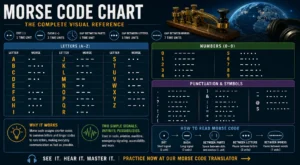
Using a reference table, the application transforms text into Morse code. Regardless of whether it is a letter, number, or allowed punctuation, each character has a unique code. The software examines the input character by character, finds the corresponding code, and adds a space after each one. A larger pause separates words. Upper‑case and lower‑case letters produce identical output, since Morse code does not distinguish between them. You can see the whole table in our Morse code chart.
For Morse translation, the tool does the opposite. It splits the input into spaces, associates each group of dots and dashes with a letter, and reconcatenates the letters. That\’s why distance is so important. The device cannot tell where one character finishes and the next begins if there are no gaps. A dash, or long signal, in traditional Morse code is about three times longer than a dot, or short signal.
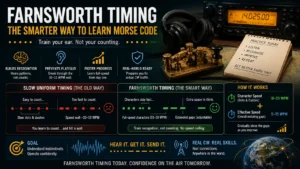
The distance between words is about seven of these units, but the interval between letters is about three short tones.These time intervals are measured, the transmission rate is calculated, and each signal is categorized as either short or long by the decoding software. Our Morse‑code timing reference outlines these standards, and if you’d rather handle it manually, see our detailed guide on decoding Morse code.
Which path should you take?
We’ll take you through a straightforward selection process. To convert a word or phrase into Morse code, simply use a translator or a text-to-Morse converter. This can apply to names, quotations, gift concepts, or any other text you want to transform into jewelry or artwork.
You have dots and dashes and want to read them. Use a translator in Morse to text mode, or a text based decoder. Make sure the characters are properly separated.
You have a recording or a sound clip. Use an audio decoder, and choose a clean, steady recording where possible.
You have a photo, screenshot or scanned note. Use an image decoder, and check the result by eye if the picture is blurry.
You want to send a message with light. Use a light translator to see the flash pattern, then practice with a torch.
You want to learn and not just convert. Use the tool alongside the chart and listen to the audio. Converting for you is fine, but your ear improves when you check each result yourself. Our 30 day plan to learn Morse code is a good next step.
Why These Words Get Mixed Up
Three things cause the confusion.
First, most online tools do more than one job. A page labeled “decoder” may also encode, and a page labeled “converter” may also read audio.
Second, people search with whatever word comes to mind. Some type “morse code translator”, others “morse code converter”, and others “morse code decoder”, while wanting exactly the same result.
Third, the word “translate” feels natural even though the process is closer to swapping symbols. Language shifts to match how people actually talk, so the loose terms stuck.
The conclusion is practical. Disregard the label and discover the true capabilities of the tool. Verify the input type, output type, and direction.
Common problems and ways to avoid them
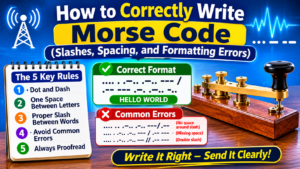
Missing spaces between letters. This is the number one cause of wrong results. A pattern of three short signals followed by three long ones could mean SO or several other letter combinations, depending on where the gaps fall. Always separate letters with a space.
Unclear word breaks. Most tools expect a forward slash or a wider gap between words. If your words run together, the output will too.
The wrong symbols. Sometimes dots and dashes from a document editor or a social media post are copied to make similar-looking characters, like a bullet or long dash. A decoder may not recognize them.If the result looks strange, retype the pattern using only standard keyboard symbols.
Emojis, accented letters, and many other special symbols are examples of characters that aren’t recognized in standard Morse code.A clever converter should mark them as invalid rather than silently removing them.
Audio-speed issues: When a recording is excessively fast or has a variable tempo, the decoder may go out of sync; slowing down the clip typically helps.
Interference and distortion: Because poor visuals and background noise diminish accuracy, you should manually verify the output if the source information is dubious. To use an online Morse-code converter in just four simple steps, open the tool and choose the conversion direction (text-to-Morse or Morse-to-text).
- Make sure there is a space between each Morse character when you type or paste your text. Click the translate button to see the result after making any necessary changes to this version to improve its tone and clarity.
- Use advanced options like playing audio at the speed you choose, copying results for listening, sharing and reuse.
- Try something short first. A single word such as “hi” gives you four short signals, a gap, and two more short signals, which is easy to hear and easy to check.
What defines an effective tool?
- Whether it is a decoder, translator, or converter, a reliable tool should have all the necessary functions. It works in both directions without requiring any changes to your website. The spacing is clearly shown, making it simple to determine where each letter and word starts and ends. You can adjust the playback speed of the audio to your liking. It can handle standard letters, numbers, and punctuation, instantly replicate the output, and alert you to any symbols that are not supported.
- Since many individuals use these tools on their phones, it loads quickly.
Frequently Asked Questions
Do any two Morse code translators produce the same results?
In daily conversation, the two terms can really be used interchangeably. Although “converter” is a more general phrase and “translator” typically refers to a device that does both, both terms relate to equipment that convert text to or from Morse code. Morse code encoding and decoding have different goals: encoding transforms regular text into Morse symbols, while decoding transforms those symbols back into plain text.
Is Morse code regarded as a language?
Since it is only a coding system that assigns symbols to a language’s letters, digits, and punctuation, calling it “translation” is a convenient simplification rather than a strictly correct term.
Does a decoder have the ability to decipher Morse code from images or sounds?
Some people can accomplish this. Audio decoders measure the length of sound waves, whereas image decoders identify the dot-and-dash patterns hidden in pictures or screen captures. The accuracy of the results depends on the clarity of the source material.
What causes errors in the translation of Morse code?
Typical causes include missing character spaces, unclear word delimiters, odd symbols imported from other programs, or poorly rendered characters.
Does using the converter need knowledge of Morse code?
No, the converter takes care of all of it automatically. Learning Morse symbols will only be useful if you plan to decode or transmit messages without a program; in that case, begin with a Morse-code reference chart.
Does it matter which letters you enter in what case?
It doesn’t—Morse code yields identical results either way.
With the exception of their operational range, converters, translators, and decoders are basically all part of the same tool family. A decoder focuses on converting Morse code back into readable text, a converter handles all tasks, and a translator works in both directions. Once you’ve determined the required direction and the type of data you have, choosing the appropriate tool is a straightforward process.