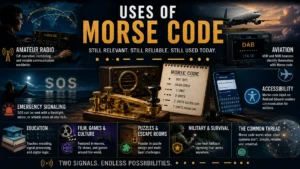
Most discussions of Morse code focus on radio operators, aviation, and history. Far fewer cover one of its most genuinely useful modern applications: as an assistive input method for people with motor disabilities. This isn’t a hypothetical use case; it’s built into mainstream software today, and for some users it’s the fastest and most reliable way to communicate independently.
Why Morse Code Works as Assistive Technology
Nearly every accessibility challenge in text input comes down to the same problem: most input systems assume a user can make many distinct, precise physical movements, reaching across a keyboard, tapping small targets on a touchscreen, forming precise mouse gestures. For someone with limited motor control, ALS, cerebral palsy, spinal cord injuries, or other conditions affecting movement, that assumption breaks down.
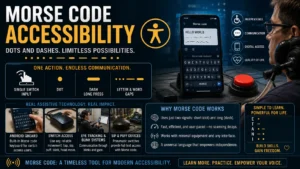
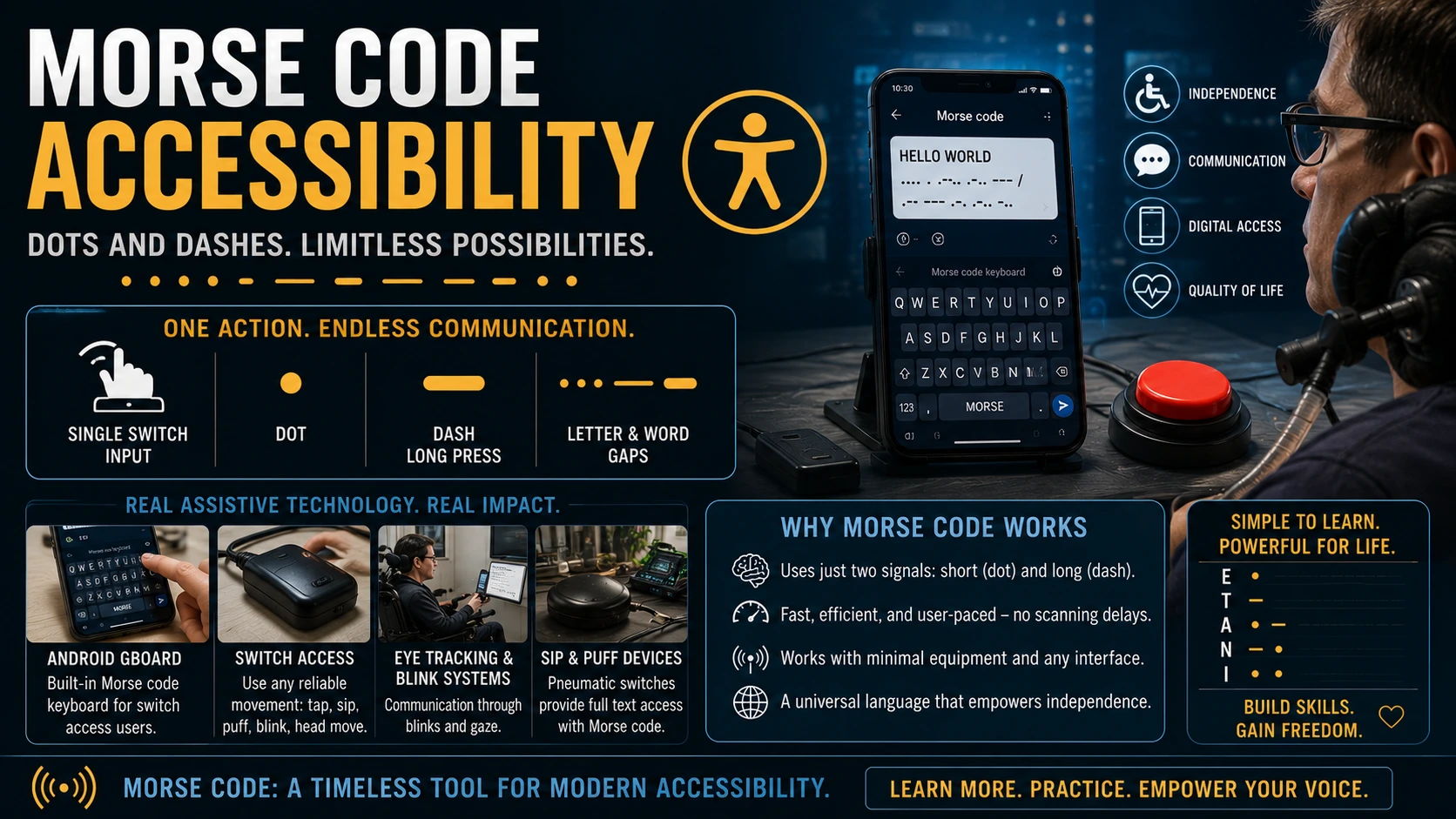
Morse code sidesteps the problem entirely. Every character in the entire alphabet, every number, and all standard punctuation can be produced using just one repeatable action performed for two different durations, a short input (dot) and a long input (dash). That single action can be almost anything a person can reliably and voluntarily control:
- A head movement against a switch
- A sip or puff of breath through a pneumatic switch
- An eye blink detected by a camera
- A single finger tap
- A tongue movement against a palate-mounted sensor
Where a standard keyboard requires dozens of distinct targets, Morse code requires exactly one, differentiated only by timing. That’s what makes it uniquely suited to single-switch and few-switch assistive interfaces.
Real-World Implementation: Morse Code on Android
In 2018, Google added native Morse code support directly into Gboard, Android’s default keyboard, developed in collaboration with accessibility researchers and switch-access users. The system allows a user to type an entire message using one or two switches; connected via Bluetooth, a headphone jack adapter, or even the phone’s own screen or camera, mapped to dot and dash input.
This wasn’t a novelty feature. It was built specifically in response to real requests from users with conditions like ALS and cerebral palsy who needed a communication method that didn’t depend on fine motor control. Once built, it gave users full smartphone text access; messaging, search, social media, email; through the same input logic developed for 19th-century telegraphy.
How Switch-Based Morse Input Works in Practice
A typical setup uses one or two physical switches:
Single-switch mode: A short press registers as a dot; a long press (held past a set threshold) registers as a dash. Pauses between presses signal letter and word breaks, similar to standard Morse timing.
Dual-switch mode: One switch is dedicated to dots, the other to dashes, which can be faster and less fatiguing for users who can reliably operate two distinct switches.
Modern implementations include adjustable timing thresholds, since motor conditions vary significantly between users; someone with a tremor needs different dot/dash/pause thresholds than someone with limited but precise control.
Why Morse Code Beats Some “Simpler” Alternatives
It might seem like scanning keyboards (where a cursor automatically moves across an on-screen keyboard and the user selects a letter with a single switch press) would be simpler than learning Morse code. In practice, experienced Morse users often type significantly faster, because:
- Scanning keyboards require waiting for the cursor to reach the target letter, with speed capped by how fast the scan can move without causing errors.
- Morse code input is user-paced, not scan-paced; an experienced user produces dots and dashes at their own maximum comfortable speed, without waiting for an external timer.
- Morse code has no “reach” cost. Letter frequency is already optimized (as in standard Morse) so common letters are fastest to produce, regardless of where they’d sit on a visual keyboard layout.
For users who invest the time to become fluent, Morse code input can meaningfully outperform scanning-based alternatives in words per minute.
Beyond Smartphones: Other Assistive Applications
- Eye-tracking and blink-based systems for users with very limited voluntary movement, where a deliberate blink pattern maps to Morse dots and dashes.
- Sip-and-puff wheelchair controls repurposed for communication, using the same pneumatic switch hardware already integrated into some power wheelchairs.
- DIY and open-source assistive projects, where Morse code is a popular target because the encoding logic is simple, well-documented, and requires no proprietary hardware to implement.
The Learning Curve and Why It’s Worth It
Morse code accessibility input isn’t instant; like any new input method, it requires practice to reach a comfortable speed. But the learning curve is well-documented and often faster than expected, because motivated users are learning a practical daily-use skill, not an abstract one. Structured practice; starting with the highest-frequency letters (E, T, A, N, I) and building outward; mirrors the same approach recommended for any Morse code learner. See our Morse Code Cheat Sheet for the full character reference and our practice guide for a structured learning path.
Why This Use Case Deserves More Attention
Most Morse code content online focuses on ham radio and history, genuinely important, but it overlooks a use case with real, present-day impact on people’s independence and quality of life. For someone who has lost the ability to type conventionally, Morse code isn’t a hobby or a historical curiosity; it can be the difference between needing constant assistance to communicate and being able to text, search, and write independently.
Frequently Asked Questions
Can you really type as fast with Morse code as with a regular keyboard?
Not as fast as an able-bodied user typing on a full keyboard, but often significantly faster than alternative single-switch methods like scanning keyboards, once a user reaches proficiency.
What conditions is Morse code assistive input designed for?
It’s most commonly used by people with ALS, cerebral palsy, spinal cord injuries, muscular dystrophy, and other conditions that limit fine motor control but leave at least one reliable, voluntary movement available.
Do you need special hardware to use Morse code on a smartphone?
No, Android’s Gboard supports Morse code input using the touchscreen directly, though many users pair it with external switch hardware (Bluetooth switches, headphone-jack switches) for more reliable input depending on their specific motor capabilities.
Is Morse code accessibility support available on iPhone?
Switch Control accessibility features exist on iOS with customizable switch input, and third-party Morse code keyboard apps are available, though native built-in Morse support is more associated with Android’s Gboard implementation.
Where can someone start learning Morse code for assistive use?
The same foundational resources used by any Morse learner apply; start with our cheat sheet and timing guide, then move to structured practice at your own achievable pace.
Explore the System Behind This Technology
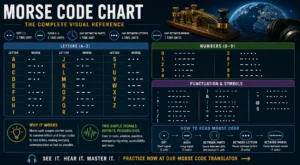
See the full character set that makes this possible in our Morse Code Chart, or try our translator to see how any word breaks down into the dot-dash pattern an assistive switch interface would produce.